


Outlook is one of the most popular email clients for fulfilling business needs, with a market share of 9.1%. But, it has significant drawbacks. Defects in Outlook are majorly related to the specific rules around email rendering.
Outlook email template’s impact on email rendering can be huge. While working, we often try to give our emails a distinct look to make them look more enticing. It is all the more important for email marketing professionals because that unique look could win them paying customers.
Designing and testing play a crucial role in getting the aesthetic and business parts right. However, I often notice specific display problems with Outlook email templates, which I am sure many of you might have observed too. For example, when you try to send out a newsletter, Outlook often picks up a particular email template and renders it with broken links. Pictures go missing and layouts get misaligned as well. The problem is prevalent in 2007, 2010, and 2013 versions. The root cause could be that these versions leverage Microsoft Word algorithms for email rendering, which puts a limit on the HTML and CSS codes.
But before we dig deep further, let’s discuss a bit about email templates before moving on to the most irritating Outlook rendering issues.
What Is An Email Template?
An email template is a preformatted HTML email that you can use to create your unique layout by replacing the specified text with your own. Templates can be text-only or HTML plus text. In the latter case, it is the user’s email client who gets to decide what to do. It lets you add photos and links to an email in conjunction with Cascading Style Sheets (CSS) and design the email to enhance your corporate or personal taste.
There are many email clients in the market today- some of them have track records of decades. But Apple Mail/Gmail and Outlook/Outlook.com are among the most coveted ones.
3 Most Common Outlook Email Rendering Issues
Using a plain-looking email with few frills will not create rendering issues for email clients in general. The CSS properties used in email templates are compatible with most email clients. However, exceptions exist.
So, in this blog, I have created a list of some of the most common Outlook email rendering issues we face on a daily basis.
-
- Email clients do not support background pictures.
- Email template’s background gradient does not function.
- Users frequently encounter spacing, padding, and margins-related issues that behave differently in different email clients.
Let’s check out the solutions to resolve these persisting problems in Outlook email templates.
- Email clients do not support background pictures
Background images are not rendered, which piles on issues for desktop email clients. Only Apple Mail 10, Outlook for Mac, Gmail.com, Outlook.com, and Thunderbird have complete support at present. The rest are offering only limited or no compatibility. Outlook 2007-2013 does not support backdrops.
Using the background attribute in the table, you can direct the email client to render a background image stored in the URL specified. For the background picture to fill the whole email window, use the following code in your HTML’s <body> element.
<!--[if gte mso 9]>

<v:image xmlns:v="urn:schemas-microsoft-com:vml" fill="true"
stroke="false" style=" border: 0;display: inline-block; width: ; height: ;
 " src=" https://images.unsplash.com/photo-1588196749597-9ff075ee6b5b?ixid=MnwxMjA3fDB8MHxwaG90by1wYWdlfHx8fGVufDB8fHx8&ixlib=rb-1.2.1&auto=format&fit=crop&w=1567&q=80" />

<v:rect xmlns:v="urn:schemas-microsoft-com:vml" fill="true" stroke="false"
 style=" border: 0;display: inline-block;position: absolute; width: 480pt;
 height:300pt;"> <v:fill  opacity="0%" color="#ffffff"  /> <v:textbox
inset="0,0,0,0">

<td valign="middle" align="center" bgcolor="#ffffff"
background="https://images.unsplash.com/photo-1588196749597-9ff075ee6b5b?ixid=MnwxMjA3fDB8MHxwaG90by1wYWdlfHx8fGVufDB8fHx8&ixlib=rb-1.2.1&auto=format&fit=crop&w=1567&q=80" style="background-image:url(https://images.unsplash.com/photo-1588196749597-9ff075ee6b5b?ixid=MnwxMjA3fDB8MHxwaG90by1wYWdlfHx8fGVufDB8fHx8&ixlib=rb-1.2.1&auto=format&fit=crop&w=1567&q=80); background-repeat: no-repeat; background-size: cover;">

<![endif]-->
Codepen link https://codepen.io/palak-tal/pen/eYWggYa
Output
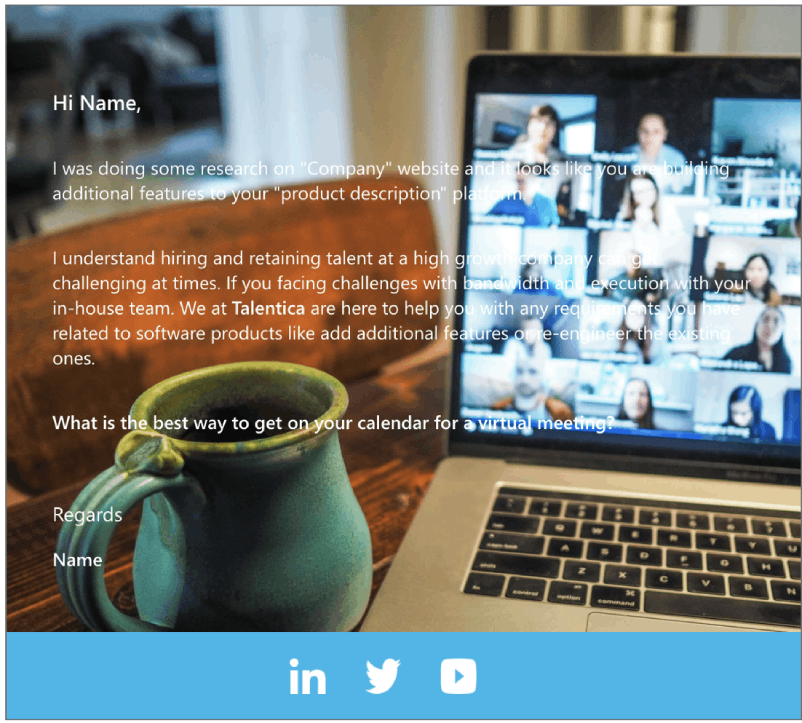
The sole disadvantage of applying the background property is that you cannot modify the image size or location. Besides, the picture will get repeated if the container’s <td> dimension is higher than the image’s dimension. You can avoid it by adding the background-color property or inlining the background-repeat and background-position CSS values.
The background-color property is usually required in email code to utilize properties that have been around for a long time. The older the HTML or CSS rule, the probability is more for it to function properly- a major driving force that makes email clients go for the background property on a table.
- The email template’s background gradient does not function
Gradient background color in outlook style begins in HTML with a solid color fallback on the background-color property.
Within the inline CSS styles, use the background property to replicate that fallback. After this, you can add the background property again and use the linear-gradient style to generate the linear gradient. Then, create an Outlook fallback using VML gradients. For Outlook, you need to make the background gradient, utilize vector markup language (VML).
The most important item to note here is the background-color property, which has a value. The placement order is irrelevant for email clients that do not support gradient; however, if the bgcolor property occurs after the inline style, the gradient background will be overridden by the solid color provided to the bgcolor attribute. Typically, the background gradient feature in email templates does not function for Outlook and other online outdated versions, but it does work for Gmail and other clients.
The most frequent problem users experience is not receiving the gradient color but a single color when applying it to the gradient portion.
<!--[if gte mso 1]>

<v:rect xmlns:v="urn:schemas-microsoft-com:vml" fill="true" stroke="false"
 style="mso-width-percent:1000" fillcolor="#18b7ea">

<v:fill type="gradient" color2="#18b7ea"/>

<v:textbox style="mso-fit-shape-to-text:true" inset="0,0,0,0">

<center>

<![endif]-->

<td width="600" bgcolor="#18b7ea" style="background:linear-gradient(45deg,
 #8e36e0 0%, #164b92 100%); margin:0; width: 600px; max-width: 600px;
 padding: 0;"

<!--[if gte mso 9]>

</center>

</v:textbox>

</v:rect>

<![endif]-->
For other email clients, use a solid fallback color. To supply the fallback color for Windows 10 and Office 365 desktop clients, utilize the background-color property with the 6-digit HEX color. As a fallback, Web.de will use the CSS background property bgcolor=”#e37b46″.
Example
<td width=”600″ bgcolor=”#18b7ea” style=”background:linear-gradient(45deg, #8e36e0 0%, #164b92 100%); margin:0; width: 600px; max-width: 600px; padding: 0;”>


Code pen link https://codepen.io/palak-tal/pen/eYWggYa
It supports the gradient color for email clients using desktop, mobile, and webmail. CSS gradients are not supported everywhere; however, some fallbacks allow a gradient to be included in all email clients.
Link :- https://www.campaignmonitor.com/css/color-background/css-gradients/
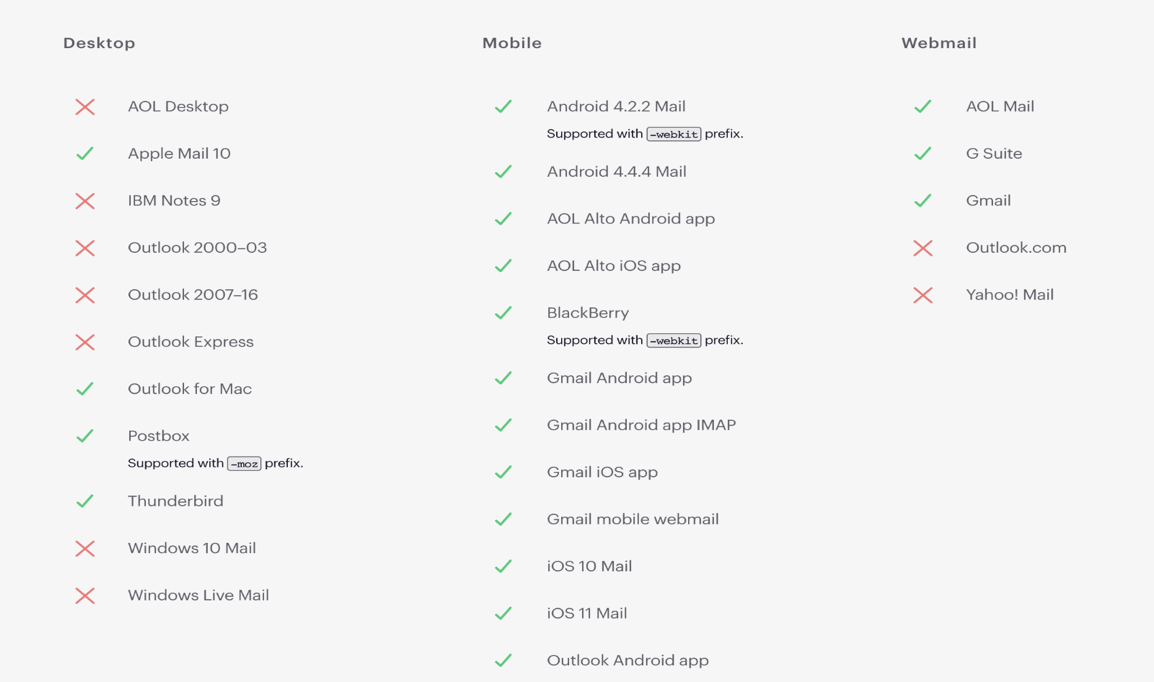
Snippet of the email template
Code pen link https://codepen.io/palak-tal/pen/eYWggYa
Output

- Users frequently encounter spacing, padding, and margins-related issues that behave differently in different email clients
Margins do not work in Outlook and it doesn’t allow email margins in any of its versions (except for Outlook.com). The same can be said for Gmail.
The other option is to use padding to create the necessary space around the content blocks. All versions of Outlook fully support padding. However, you should always consider mobile rendering on a mobile device, as padding might make the content appear excessively narrow. Padding should be used for gaps instead of margins because margins do not function.
Output
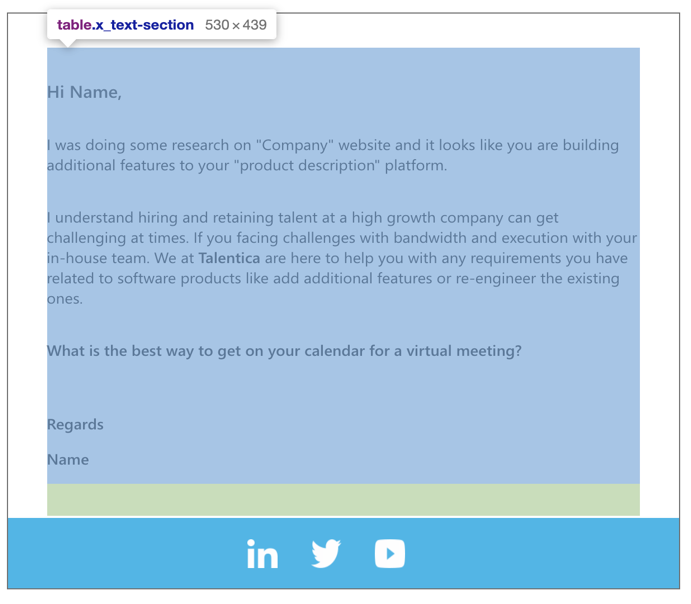
The above examples are tested through https://sendgrid.com/.
Final Thoughts
In 1996, Bill Gates wrote an essay titled “Content is King”. In it, he suggested that content would play a crucial role in generating revenue for companies. Since then, two and a half decades have passed. The Internet has evolved and users are getting bombarded by diverse types of content every minute.
To stand out from this barrage of contents, you need to break the clutter. And Outlook email templates could help you out. With proper designs, it could accentuate the impact of your content, help you build responsive campaigns, and ensure high conversion rates.
It’s high time you give it a serious thought.
Do share your experiences with us on working with email templates and after executing the solutions. Till then, happy coding!